
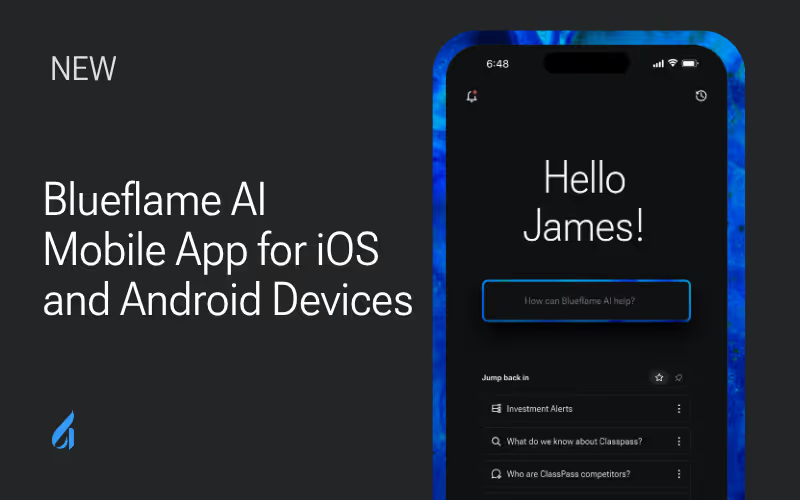
Investment professionals need access to critical data and AI-powered insights wherever deals are happening—whether in the office, traveling between meetings, or working remotely. The new Blueflame AI mobile app brings key capabilities from our purpose-built agentic AI platform to iOS and Android mobile and tablet devices, ensuring you never miss an opportunity to analyze documents, search your workspace, or run automated workflows.
Core mobile capabilities
The Blueflame AI mobile app delivers a streamlined experience that puts essential AI functionality at your fingertips — whether on an iPhone, iPad, or Android device.
Optimized for both smaller and larger screens, the iOS and Android apps maintain the same powerful capabilities across all devices, with flexible viewing options to suit your workflow:
- Portrait mode: Standard viewing for focused reading and smooth scrolling through content
- Landscape mode: Expanded, side-by-side view that makes it easier to analyze charts, compare data, and work across multiple pieces of information simultaneously
Intelligent document analysis
- Chat with your files and data using natural language queries
- Get instant insights from pitch decks, financial statements, and due diligence materials
- Access the same powerful AI models that drive desktop analysis
Comprehensive workspace search
- Search across your internal workspace from anywhere
- Find specific documents, conversations, or data points instantly
- Maintain context across all your investment research and analysis
Workflow automation with Blueprints
- Run and manage your Blueprints on mobile
- Execute automated workflows for deal screening, portfolio monitoring, and research tasks
- Monitor Blueprint progress and results in real-time
Seamless file access
- Access connected files and content from your mobile device
- View and analyze documents without switching platforms
- Maintain full synchronization with your desktop workspace
Profile management
- Manage user profile controls and preferences
- Customize notification settings and workspace access
- Control data sharing and privacy settings
Note: Users with LLM-only access will have chat functionality available.
Enterprise-grade security and compliance
Investment firms handle highly sensitive financial data, requiring the highest levels of security and regulatory compliance. The Blueflame AI mobile app incorporates comprehensive security measures designed specifically for the financial services industry:
- Support for Microsoft Intune and other enterprise MDM/MAM solutions
- Implementation of authentication policies and conditional access
- Data encryption at rest and in transit
- Remote wipe capabilities
- Activity tracking, including the user’s history of searches, chats, and Blueprints
Getting started with mobile access
Current Blueflame AI clients can immediately access the mobile app using their existing credentials and infrastructure:
Simple download and setup
- Download the app from the iOS App Store or Google Play Store
- Log in using your existing Blueflame AI user credentials
- Authenticate through your organization's single sign-on (SSO) system
- Access your workspace and AI tools
Frequently asked questions
What features are available in the mobile app compared to the desktop version?
The mobile app includes core functionality like file chat, search, Blueprint management, and file access. While optimized for mobile use, it provides access to the same AI models and data as the desktop platform. Some advanced configuration features remain desktop-only for optimal user experience.
Is the mobile app compatible with tablet devices?
Yes, Blueflame AI is optimized for iOS and Android tablet devices, supporting both portrait and landscape orientations.
How does the mobile app handle sensitive financial data security?
The app implements enterprise-grade security including MDM/MAM support, end-to-end encryption, conditional access policies, and remote wipe capabilities. All data transmission and storage meets financial services compliance requirements, with a comprehensive audit trail for regulatory reporting.
Can I run the same Blueprints on mobile that I use on desktop?
Yes, all your custom Blueprints are accessible through the mobile app. You can run, monitor, and manage Blueprint executions with the same functionality as the desktop platform, ensuring consistent workflow automation across devices.
What happens if my device is lost or stolen?
Administrators can immediately execute remote wipe procedures to remove all Blueflame AI data from the device. The app also supports conditional access policies that can automatically restrict access based on device status or location anomalies.
Does the mobile app work offline?
The Blueflame AI mobile app requires an active internet connection to perform AI-powered analysis, execute Blueprints, and search your workspace. This ensures you are always interacting with the most up-to-date data and the latest LLM capabilities. For security and compliance reasons, sensitive firm data is accessed securely in real-time rather than stored locally on the device.
Transform your mobile investment workflow
Ready to bring AI-powered investment analysis to your mobile workflow? The Blueflame AI mobile app delivers the same powerful capabilities you rely on, with the security and compliance your firm requires.
For existing clients: Download the app today using the links above and log in with your current credentials.
New to Blueflame AI? Discover how our purpose-built agentic AI platform can transform your investment process across desktop and iOS and Android mobile and tablet devices.
Request a Demo to see Blueflame AI in action and learn how mobile access can enhance your investment workflow.